Skip to content

Spatial session

AR and VR Apps That Teach, Sell and Engage

Training simulations, 3D product viewers and immersive experiences for headsets, phones and the browser, built in Unity or Unreal with performance tuned for each device.

Immersive Tech With a Clear Business Purpose

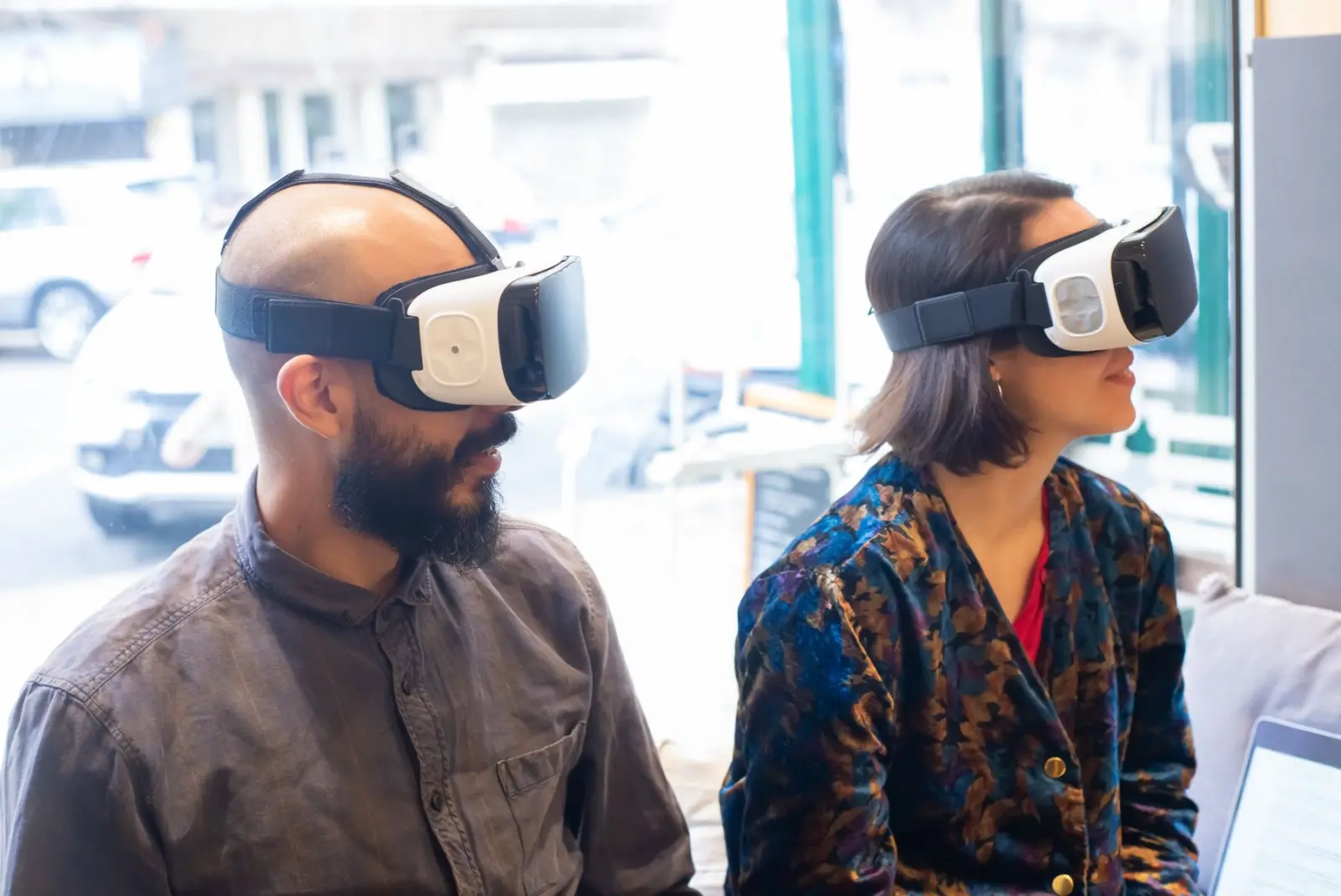
Augmented reality places digital content over the real world through a phone, tablet or headset, while virtual reality puts the user inside a fully digital space. Mixed reality headsets such as Meta Quest 3, Quest 3S and Apple Vision Pro now blend both. The technology is mature enough for real work, but only when an experience solves a specific problem better than a video or a slide deck.

Our AR and VR clients are typically training heads in manufacturing, healthcare and energy who need safe practice for risky tasks, furniture, retail and real estate brands that want buyers to see products in their own space, and marketing teams planning events or launches. Educators also use immersive lessons to explain complex structures, from human anatomy to machinery.

We begin with the outcome you want to measure, such as fewer training errors or higher purchase confidence, then choose the device and engine. Unity covers most mobile AR and Quest projects, Unreal suits high-fidelity visuals, and WebAR avoids app downloads for campaigns. Our 3D artists optimize models so experiences hold a steady frame rate, which prevents motion discomfort.

From augmented to fully virtual

Slide across the spectrum and place an object. Which end you build for decides the hardware, the interaction model and how much of the real world stays in view.

Our AR/VR Development services

Augmented and virtual reality apps for training, product visualization, retail and immersive marketing.

  1. 01

    VR Training Simulations

    Step-by-step procedural training for equipment operation, safety drills and medical skills, with scoring and progress reports for trainers and managers.

  2. 02

    AR Product Visualization

    Place true-scale 3D products in a room through ARKit and ARCore, letting buyers check fit, size and finish before ordering.

  3. 03

    WebAR Campaigns

    Browser-based AR experiences launched from a QR code or link, with no app download, for packaging, print ads, events and retail displays.

  4. 04

    Mixed Reality Apps

    Apps for Meta Quest 3 and 3S and Apple Vision Pro that combine passthrough, hand tracking and spatial anchors for design reviews and guided tasks.

  5. 05

    Virtual Tours and Showrooms

    Interactive 3D walkthroughs of property, factories or showrooms, viewable in a headset, on a phone or in a desktop browser.

  6. 06

    AR Remote Assistance

    Field technicians share their camera view while remote experts draw annotations anchored in the real world, cutting repeat site visits.

  7. 07

    3D Modeling and Optimization

    Creation and cleanup of 3D models, textures and animations, reduced to polygon budgets that run smoothly on mobile and standalone headsets.

  8. 08

    LMS and Analytics Integration

    xAPI and SCORM reporting that sends completion, scores and time-on-task from VR sessions into your existing learning management system.

How AR/VR Development engagements run

Clear stages with a review at the end of each, so you always know what happens next and what it costs.

  1. BLOCK 01

    Goal and Audience Definition

    We agree what the experience must change, who will use it, on which devices and how success will be measured.

  2. BLOCK 02

    Storyboard and Interaction Design

    Storyboards and greybox prototypes map every scene, interaction and instruction before any detailed art is produced.

  3. BLOCK 03

    3D Asset Production

    Artists build or convert models, environments and animations, keeping polygon counts and texture sizes within device budgets.

  4. BLOCK 04

    Development and Device Testing

    Developers build interactions, logic and integrations, testing on each target headset and phone throughout the project.

  5. BLOCK 05

    Pilot With Real Users

    A pilot group uses the experience while we track comfort, comprehension and results, then refine based on what we see.

  6. BLOCK 06

    Rollout and Updates

    We publish to app stores, enterprise device management or the web, and add new scenarios or products over time.

AR/VR Development with Nexzem: what you get

  • Safer, Repeatable Training

    Staff practice hazardous or rare procedures as often as needed without risk to people, equipment or production time.

  • More Confident Buyers

    Seeing a product at true scale in their own space answers the questions that otherwise lead to hesitation or returns.

  • Comfortable Experiences

    Frame rate targets, comfort-first locomotion and careful UI placement keep sessions free of the dizziness that puts users off VR.

  • The Right Device for the Job

    We recommend phone, browser or headset based on your audience and budget, not on which hardware is newest.

  • Results You Can Measure

    Built-in analytics track completion, errors, dwell time and conversions so you can judge the experience on evidence.

Where AR/VR Development fits

  • Mission 01

    VR safety training for a plant

    A chemical plant trains operators on emergency shutdown and spill response in VR, practicing rare, high-risk scenarios repeatedly without danger, with scores and completion records synced automatically to the company's learning management system.

  • Mission 02

    AR furniture preview for an online store

    Shoppers place true-to-scale 3D furniture in their rooms through their phone camera before buying, checking size and style fit, which increases purchase confidence and reduces returns caused by products that did not fit.

  • Mission 03

    AR remote assistance for field technicians

    Field technicians share their phone or smart glasses view with remote experts, who annotate equipment in real time to guide repairs, reducing repeat visits and costly travel for scarce, specialized engineers.

  • Mission 04

    Virtual property tours

    A real estate developer offers immersive tours of apartments still under construction, letting buyers explore layouts, finishes and views on the web or in VR, supporting sales to overseas and out-of-town customers.

  • Mission 05

    Medical procedure training

    A medical education provider uses VR simulations for procedural practice and anatomy learning, letting students repeat techniques safely and receive feedback, complementing supervised clinical training with consistent, measurable practice sessions.

AR/VR Development, in depth

§01SPEC · CHOOSING-BETWEEN-AR-VR-AND-MIXED-REALITY

Choosing between AR, VR and mixed reality

Augmented reality overlays digital content on the real world through phones, tablets or smart glasses. It suits product visualization, guided maintenance, navigation and marketing, because users stay aware of their surroundings and often need nothing more than their existing smartphone.

Virtual reality places users in a fully digital environment through a headset. It excels at training for dangerous, expensive or rare situations, such as emergency procedures or complex equipment operation, and at immersive experiences like virtual tours where presence matters.

Mixed reality blends both, anchoring interactive digital objects in physical spaces with headsets that understand the room. It suits design reviews, collaborative planning and advanced training where people interact with virtual and real objects together. The right choice depends on the task, the environment and the audience. A sales visualization reaching thousands of customers usually favors mobile AR, while a safety training program for a few hundred employees may justify VR headsets.


§02SPEC · MEASURING-THE-VALUE-OF-IMMERSIVE-TRAINING

Measuring the value of immersive training

Immersive projects should prove their value with data, not novelty. VR training in particular can be measured precisely, because every action in a simulation can be recorded and analyzed. Agreeing measures before development ensures the experience is designed to capture them, as listed below.

Comparing VR training with existing methods, through pilot groups, shows whether it shortens training time, improves performance or reduces incidents. These results support decisions about scaling to more sites or topics. Integration with learning management systems records completions and scores alongside other training, so immersive modules fit existing compliance and certification processes. Collect learner feedback as well. Comfort, clarity and perceived usefulness affect adoption, and early feedback guides improvements before wide rollout.

  • Time to competency compared with traditional training.
  • Error rates and scores during simulations.
  • Knowledge retention after weeks or months.
  • Reduction in real-world incidents or rework.
  • Training cost per learner over time.

§03SPEC · BUILDING-AN-EFFICIENT-3D-CONTENT-PIPELINE

Building an efficient 3D content pipeline

3D content often consumes the largest share of AR and VR budgets. Models must look convincing while running smoothly on phones or standalone headsets with limited processing power, which requires careful optimization of polygons, textures and lighting. Existing CAD files from engineering teams can be a strong starting point, but they are usually far too detailed for real-time use and need conversion, simplification and material work. Planning this pipeline early prevents surprises in schedules and performance.

Reusable asset libraries reduce costs across projects. Standard components, environments and interaction patterns can be shared between training modules or marketing experiences, making each new project faster to produce. Formats matter for distribution. Standards such as glTF and USDZ support web and mobile AR, enabling experiences that open directly from a browser or messaging link without app downloads for many use cases. Keeping master assets in these open formats also makes content easier to reuse across future platforms and devices.

Technologies we use for AR/VR development

Proven, well-supported tools chosen for your scale, budget and team, never for novelty.

  • Unity
  • Unreal Engine
  • Swift
  • Kotlin
  • React
  • Node.js
  • Firebase
  • Figma

AR/VR Development FAQs

Something else on your mind? Ask a consultant and get a reply within one business day.

How much does AR or VR app development cost?

Cost depends on the number of scenes, the volume and detail of 3D assets, interaction complexity, target devices, multiplayer features and integrations with systems like an LMS or e-commerce store. A WebAR product viewer costs much less than a multi-module VR training program. A fixed quote follows a free consultation.

How long does an AR or VR project take?

A WebAR campaign or single product viewer can be ready in a few weeks. A VR training module with several scenarios typically takes a few months, mostly driven by 3D asset production and user testing.

Which headset should we choose?

Meta Quest 3 is a common choice for enterprise training because it is standalone, affordable and supports device management. Apple Vision Pro suits high-end design review and premium experiences. For wide consumer reach, phone-based AR or WebAR usually wins.

Do users need to download an app?

Not always. WebAR runs in the phone browser from a QR code, which suits marketing and retail. Training, multiplayer and headset experiences generally need an installed app for performance and offline use.

Can you use our existing CAD or 3D models?

Yes. We convert CAD and 3D files into real-time formats, reduce polygon counts, bake textures and fix materials so models look accurate while running smoothly on the target device.

Will VR make our users feel sick?

Discomfort mostly comes from low frame rates and artificial movement. We hold steady frame rates, use teleport or seated movement where appropriate, and test with first-time users before rollout.

Can VR training integrate with our learning management system?

Yes. VR modules can report completions, scores and time spent to learning management systems using standards such as SCORM or xAPI, or through custom integrations. This keeps immersive training records alongside other courses for compliance reporting and certification tracking.

How do you keep 3D experiences smooth on mobile devices?

We optimize models by reducing polygon counts, compressing textures, simplifying materials and using level-of-detail techniques that show less detail at distance. Performance is tested on mid-range devices, not just flagship phones, so experiences remain smooth for the majority of real users.

What hardware is needed for AR remote assistance?

Many remote assistance solutions work on standard smartphones and tablets, which technicians already carry. Smart glasses add hands-free operation for complex repairs and are worth considering for frequent use. We recommend hardware based on tasks, environments, safety requirements and budget.

Since our first project

Happy clients
250+
Projects delivered
150+
Industries served
15+
Pricing and engagement models
  • Mutual NDA first

    Signed before any detailed discussion of your idea.

  • You own the code

    100% of the source code and IP is yours on delivery.

  • Reply in one business day

    From a solutions consultant, Mon to Sat, 09:30 to 18:30 IST.

  • Estimate in 48 hours

    A fixed quote or team estimate, broken down by milestone.

We work with clients across the USA, UK, Australia, UAE, New Zealand and India.

Where we work

Tell us what you're building.

A solutions consultant replies within one business day with next steps, a rough estimate and a suggested team.